← MicroPython on Pi Pico and Projects
Project 1.6
Project 1.6: Wiring a Switch Bank
Add three switches to the same breadboard, ready for code in Project 1.7
Slides (covers 1.6, 1.7 & 1.8)
This is for after Project 1.5 has leds.py saved and working on your Pico, with unarycount, binarycount, breathe1, and breatheall all in it. Today is wiring only, same as Project 1.1 was: no code until Project 1.7.
Wire the switches
A DIP switch is a strip of tiny on/off switches in one package, straddling the center gap just like a chip: each switch has one leg on the left side of the gap, one leg on the right, and flipping it toward the side marked ON connects those two legs together. You only need three of them.
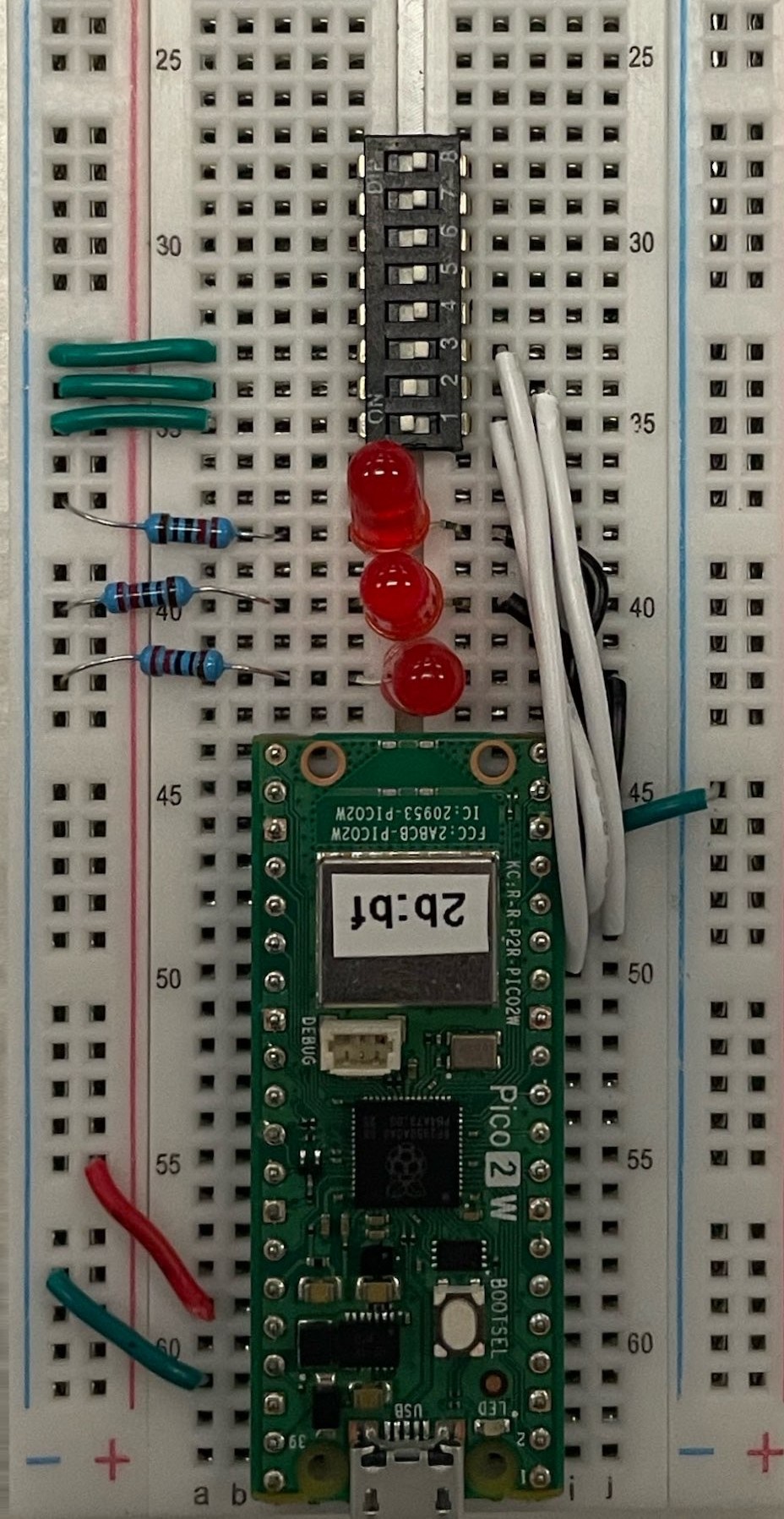
For each of the three switches you’re using:
- Run a green wire from one leg to your main ground rail, the same rail from Project 1.1.
- Run a white wire from the other leg to a GPIO pin. Wire switch position 1, the one nearest your LEDs, to GP12 (physical pin 16); switch 2 to GP11 (physical pin 15); and switch 3, the one farthest from your LEDs, to GP10 (physical pin 14). Nearest switch to nearest pin keeps the wires short and uncrossed.
Get it signed off
Once your three switches are wired, compare your breadboard to the exemplar above. Ask a neighbor to check it first. Once they agree it matches, call a teacher over for the real sign-off before you plug back in.
Once you’re signed off, move on to Project 1.7, where you’ll write the code that actually reads these switches.