
CS Unplugged activity
You Can Say That Again! Text Compression
Computers can only store and send a limited amount of data, so they compress text before they save it. Instead of writing repeated words again, a computer writes the words once, then a short box that points back to where they first appeared.
How a box works
Look for patterns in this poem. Can you find groups of two or more letters that are repeated, or even whole words or phrases?
Decode the poem
Many of the words and letters are missing in this poem. Can you fill in the missing letters and words to complete it correctly? You will find each one in the box that its arrow is pointing to.
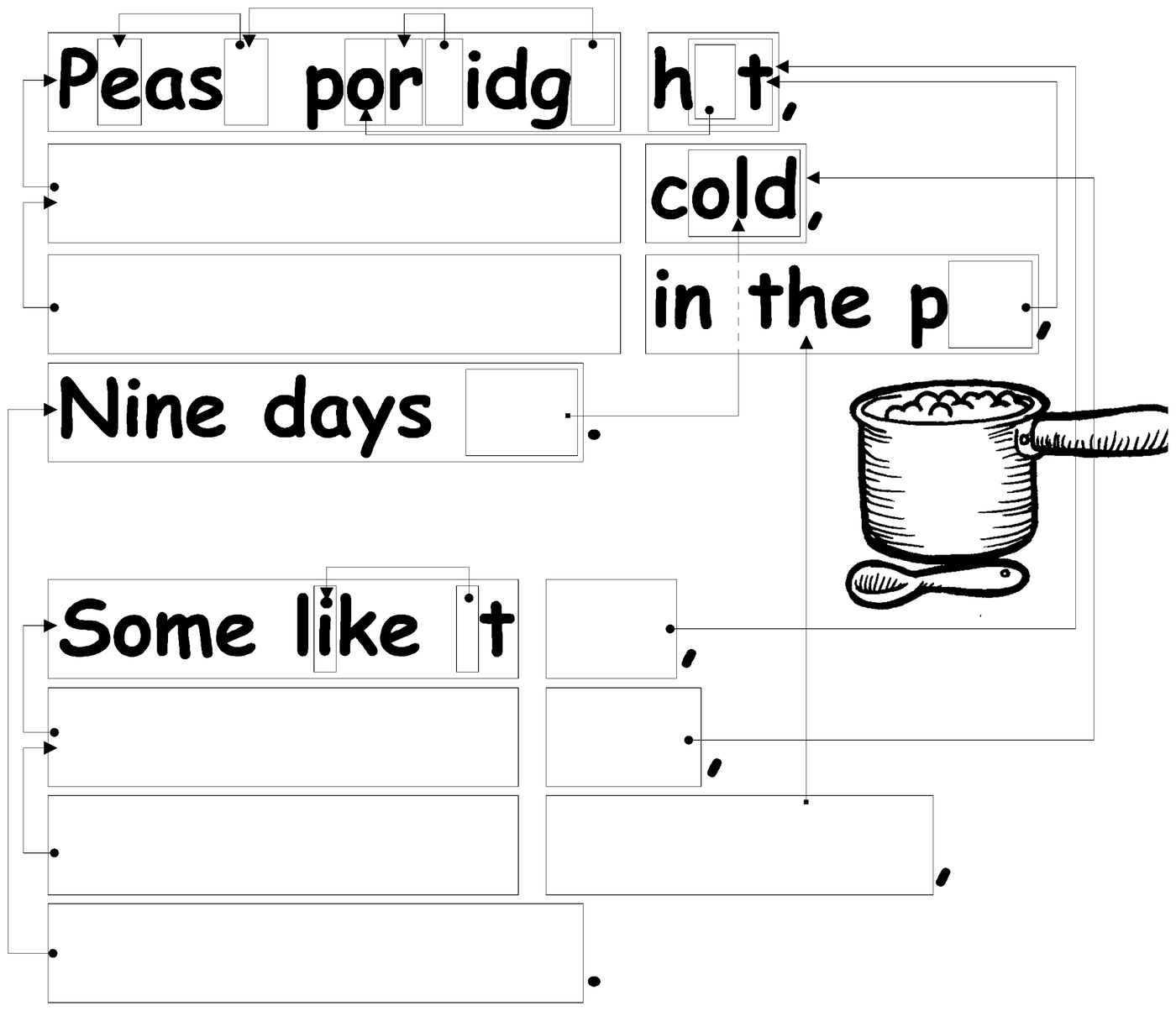
Write out the whole poem here once you have decoded it:
Now compress one yourself
Pretend you are a computer trying to fit as much into your disk as possible. Cross out all the groups of two or more letters that have already occurred. These are no longer needed, since they could be replaced by a pointer. Your goal is to get as many letters crossed out as possible.
I know an old lady who swallowed a bird.
How absurd! She swallowed a bird!
She swallowed the bird to catch the spider
That wriggled and jiggled
and tickled inside her.
She swallowed the spider to catch the fly.
I don't know why she swallowed a fly.
Perhaps she'll die...
| Letters in the whole poem | |
| Letters you crossed out | |
| Letters saved |
Check yourself: read only the letters you did not cross out, in order. If it still says the poem, your compression works.
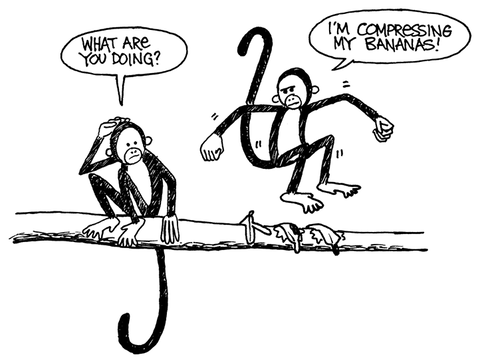
What’s it all about?
Computer storage keeps growing, but we always find more to fill it: whole libraries, photos, songs, and video all need somewhere to live, and big files are slow to send over the internet. Compressing data lets a computer store more, and send files faster, without buying more storage or a faster connection.
The method in this activity, pointing back to an earlier repeat, is called LZ compression, after Lempel and Ziv, the two people who invented it in the 1970s. It works for any language and can often cut a file’s size in half. You have already used it without knowing it: it is part of what makes a ZIP file, or a PNG or GIF picture, smaller than the raw data inside it.
Learn more: this trick is called LZ77 compression.
Answer key
Decode the poem. The poem reads:
Pease porridge hot,
Pease porridge cold,
Pease porridge in the pot,
Nine days old.
Some like it hot,
Some like it cold,
Some like it in the pot,
Nine days old.
Now compress one yourself. A computer finds 57 letters worth crossing out here, out of 210 in the whole poem. Getting close to that is a good compression; you do not need to match it exactly, since more than one set of boxes can work.
Version history
- Loading commit history…