Problem 5
Caesar
Encrypt a message with a classic Caesar cipher, shifting each letter by a command-line key.
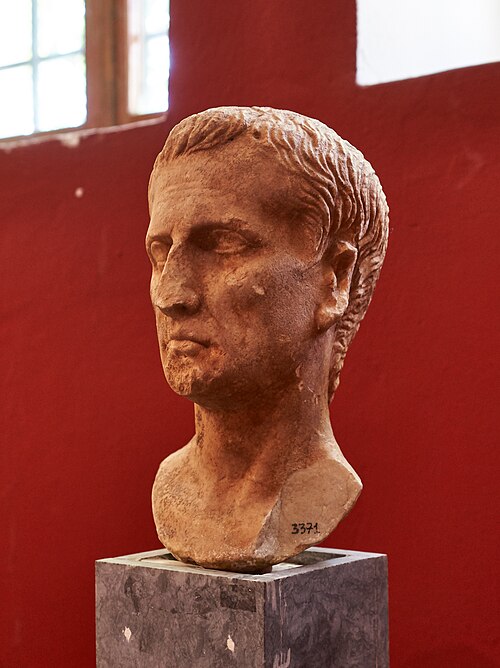
Background
Implement a program that encrypts messages using Caesar’s cipher.
$ python caesar.py 13
plaintext:  HELLO
ciphertext: URYYB
(plaintext: has an extra trailing space so it lines up under
ciphertext: below it.)
This only encrypts, since that’s all the assignment asks for. Use it
to check your own program’s output against, once you’ve started
writing caesar.py.
Walkthrough
Getting Started
Log into cs50.dev, click on your terminal window, and run:
cd
mkdir caesar
cd caesar
code caesar.py
That creates a new folder called caesar, moves into it, and opens a
new, empty file called caesar.py for you to edit.
Specification
Design and implement a program, caesar.py, that encrypts messages
using Caesar’s cipher.
- Your program must accept a single command-line argument, a non-negative integer. Let’s call it k for the sake of discussion.
- If your program is executed without any command-line arguments, or
with more than one, print an error message of your choice and exit
immediately with a status code of 1 (
exit(1)). The message’s exact wording doesn’t matter and isn’t checked; only the exit code is. The Usage examples below just show one message you could use. - You can assume that, if a user does provide a command-line argument,
it will be a non-negative integer. No need to check that it’s
numeric, but you do need to convert it to an
intyourself. - Do not assume that k will be less than or equal to 26. Your
program should work for any non-negative k. Even if k is greater
than 26, alphabetical characters in your input should remain
alphabetical characters in your output. For instance, if k is 27,
Ashould becomeB, not some non-alphabetical character, provided you wrap around fromZback toA. - Your program must print
plaintext:(with a trailing space, no newline) and then prompt the user for a string of plaintext withinput(). - Your program must print
ciphertext:(with a trailing space, no newline) followed by the plaintext’s corresponding ciphertext, with each alphabetical character in the plaintext rotated by k positions. Non-alphabetical characters should be printed unchanged. - Your program must preserve case: capitalized letters, though rotated, must remain capitalized; lowercase letters, though rotated, must remain lowercase.
- After outputting the ciphertext, print a newline.
Usage
Your program should behave per the examples below. As above,
plaintext: carries an extra trailing space so both labels line up.
$ python caesar.py 1
plaintext:  HELLO
ciphertext: IFMMP
$ python caesar.py 13
plaintext:  hello, world
ciphertext: uryyb, jbeyq
$ python caesar.py 13
plaintext:  be sure to drink your Ovaltine
ciphertext: or fher gb qevax lbhe Binygvar
$ python caesar.py
Usage: python caesar.py k
$ python caesar.py 1 2 3 4 5
Usage: python caesar.py k
Hints
argv is a list of strings representing the command-line arguments;
len(argv) tells you how many there are. You’ll need to import both
argv and exit:
from sys import argv, exit
Once you’ve confirmed there’s exactly one argument, you can access it
with argv[1], and convert it to an integer with int(argv[1]).
You can iterate over the characters in a string, printing each one without a trailing newline, with code like:
for c in p:
    print(c, end="")
You may also find Python’s ord() and chr() functions useful for
rotating letters. Letters are contiguous in ASCII: ord("a") through
ord("z") are 26 numbers in a row (and separately, so are ord("A")
through ord("Z")). Subtracting the first one turns a letter into a
position from 0 to 25, which you can rotate and wrap with % 26, then
turn back into a letter by adding the first one back and calling
chr().
Style and Submission
Run these one at a time, from inside your caesar folder.
Check your style:
style50 caesar.pyCheck your correctness:
check50 porttack/cs50/problems/py/caesarSubmit your work:
submit50 porttack/cs50/problems/py/caesarGlossary
- algorithm — A finite sequence of steps that solves a problem or completes a task. Can be written in English, pseudocode, or code.
- loop — A statement that runs one or more statements, often repeatedly. (AP calls this iteration.)
- ASCII — A table assigning a number from 0 to 127 to each of a
small set of characters.
ord()andchr()move between a character and its ASCII number. - encryption — Encoding data so only holders of the key can read it. A Caesar cipher is a very weak form of this: the key is just a number from 0 to 25, so it can be broken by trying every one.
- modulus operator — The
%operator, which works on integers and returns the remainder when one number is divided by another. It’s what wraps the alphabet around fromZback toA. (AP calls thisMOD.)
Version history
- Loading commit history…